Searching a candidate
1. Starting from the homepage type ‘find candidates’ into the search bar at the top and select the
‘Find Candidates’ report. 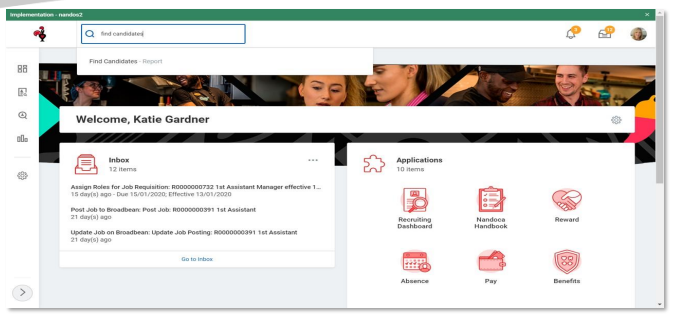
2. You can then search candidates by their name in the search bar or by using the filters on the left
hand side. 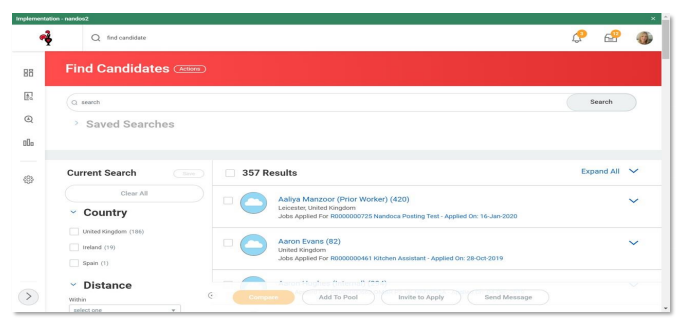
Alternatively, there are 2 other options:
1) if you know the name of the candidate you're searching for, type their name in the Workday search bar and hit enter.
Select 'All of Workday on the left hand side'
Look for the candidate record
2) In your requisition, select the 'candidates' tab and scroll until you find the candidate you're looking for.