Want to know how to book holiday in Workday on the desktop, laptop, PC, web browser and Workday mobile app? You're in the right place, see below!
Want to know how many hours or days to book when booking holiday? Check out How many days/hours should I request when booking holiday? – Nando's UK & IRE (zendesk.com)
How to request holiday in Workday on the desktop/laptop/web browser
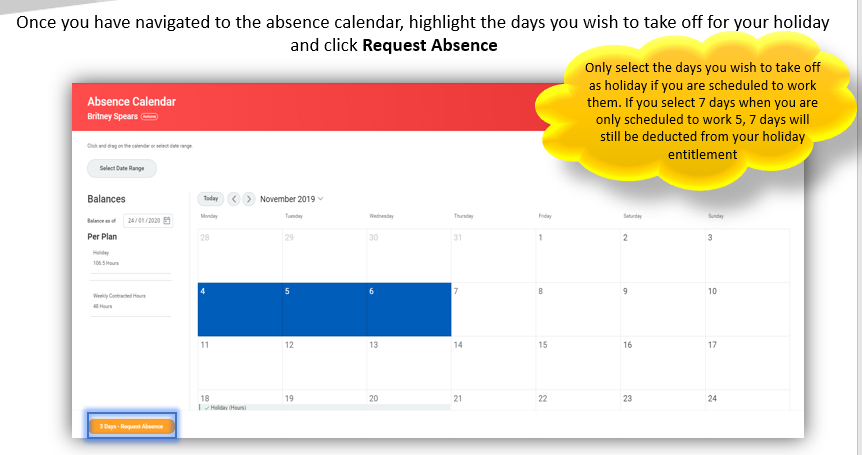
1. 
2. Select Holiday as the absence type from the dropdown menu. Click Next 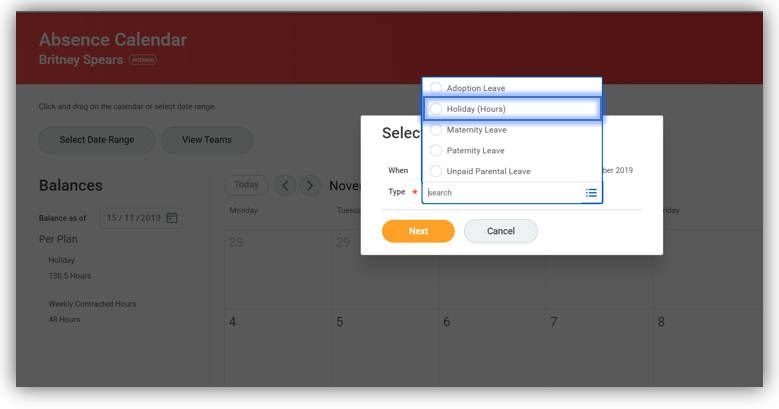
3. You can now add a comment detailing the reason for your request and Edit Quantity Per Day. For guidance on how many hours/days to enter, please see How many days/hours should I request when booking holiday? – Nando's UK & IRE (zendesk.com) 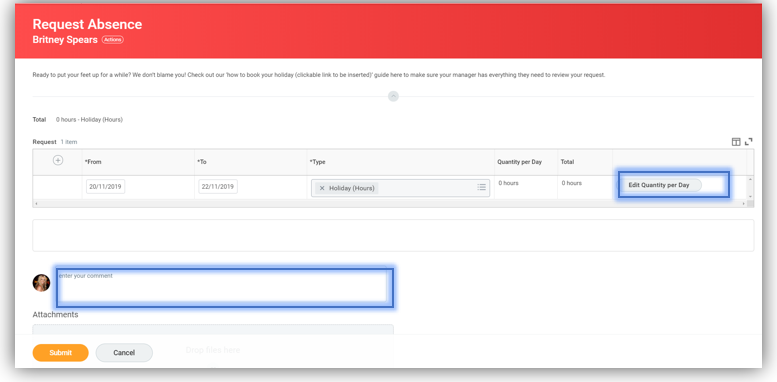
4. You can Update All Quantities at the same time if they are the same each day. Click Done 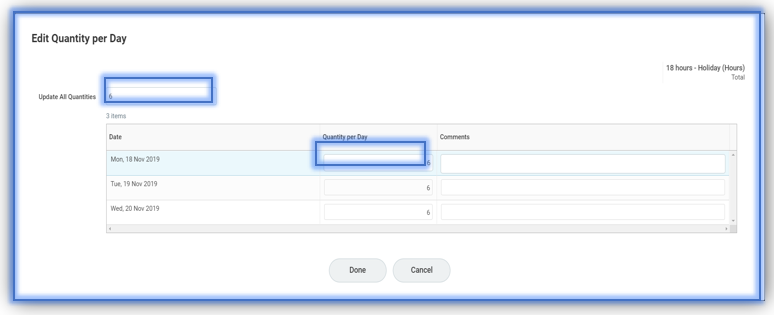
5. Click Submit. Your request will then go to your managers inbox for approval, until it is approved it will appear grey in your calendar
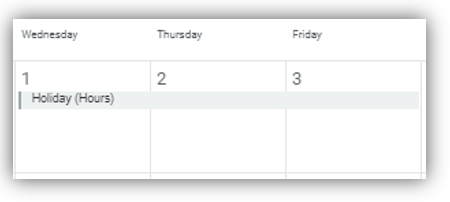
6. The holiday will now appear in the Nandoca’s calendar with a green tick 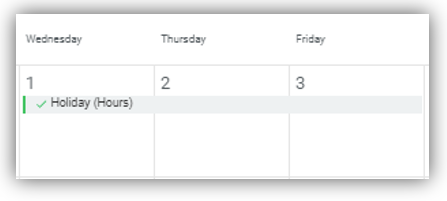
How to request holiday in the Workday mobile app
1. Log in to the Workday app and select the Time Off app

2. This will open your time off calendar

3. Select the dates on the calendar that you want to book off. Select Next 
4. Click the drop down below Type

5. Select Holiday (Days) / Holiday (Hours) depending upon which you see

6. You will be returned to the below page with Holiday successfully selected
7. If you'd like to write a comment, then you can do so in the below free text box. Press Submit 
8. The request will be sent to your manager for approval

9. Once it's been approved, you will receive a notification.
Select the  to view your notifications.

10. The notification will look like the below once approved
