How to request Paternity leave in Workday - All Nandocas
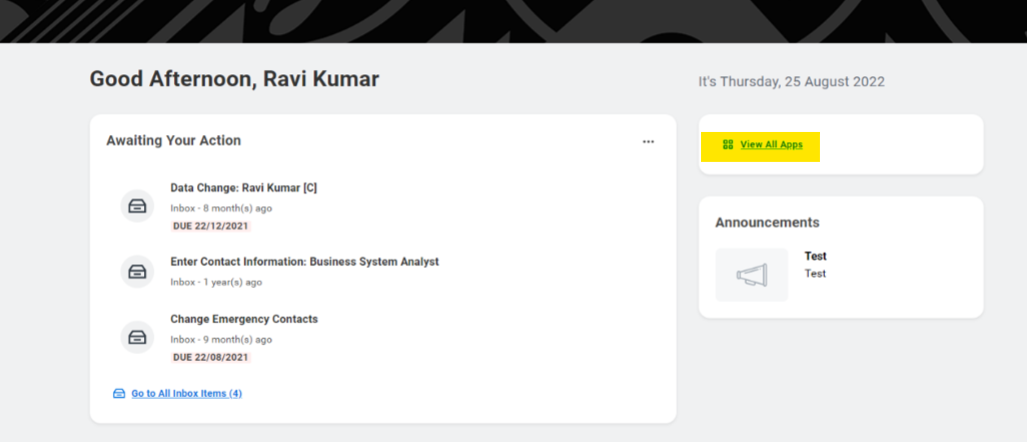
1. Click on View All Apps
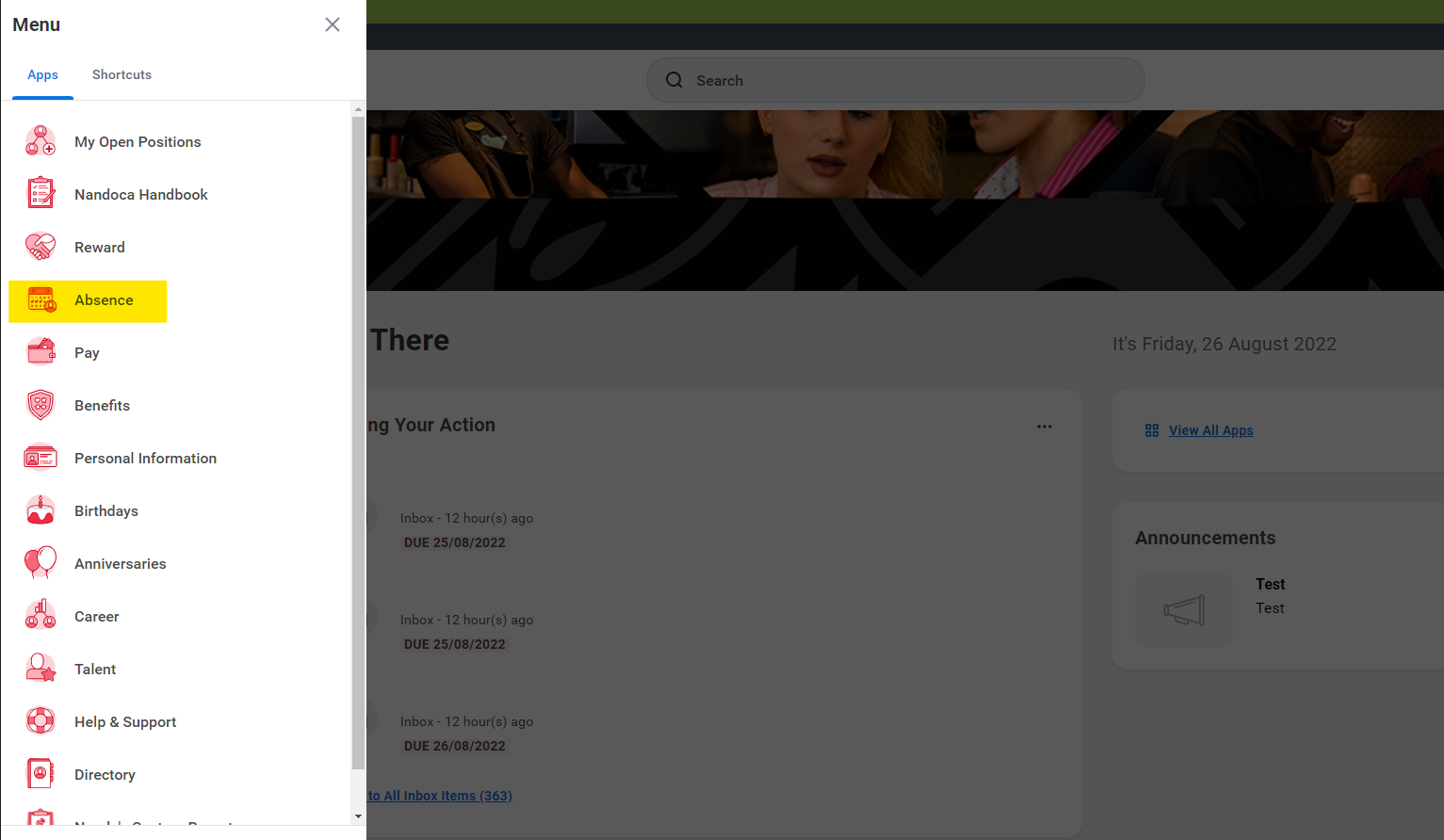
2. Navigate to your absence calendar
3. Click Request Absence 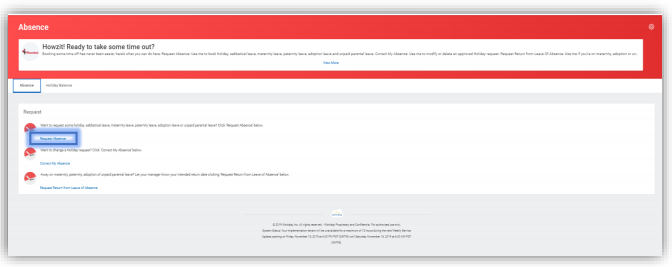
4. Once you have navigated to the absence calendar, select the dates for your paternity request either by highlighting the dates or clicking on Select Date Range.
Once dates are selected click Request Absence. 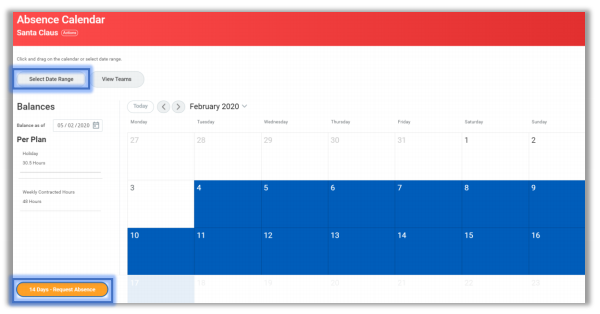
5. Select Paternity Leave and click Next. 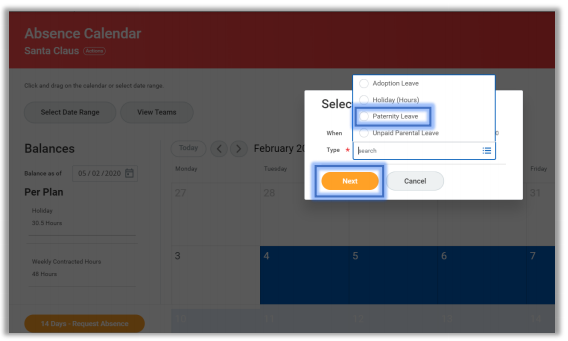
6. In the Reason drop down, select the reason for the Paternity Leave request. 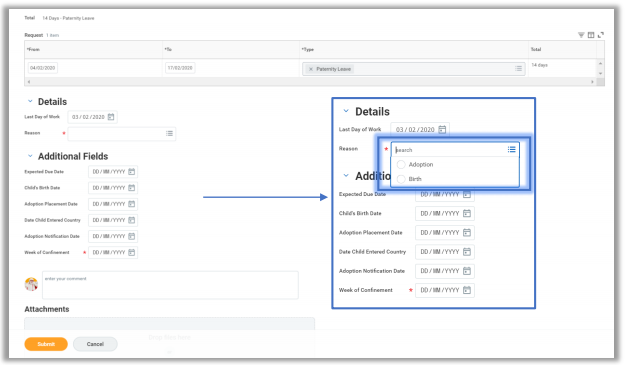
7. Enter Expected Due Date (as per MAT B1 form)
Enter Week of Confinement date (Sunday before the baby due date) 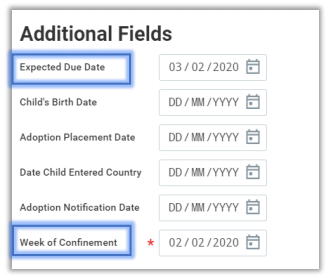
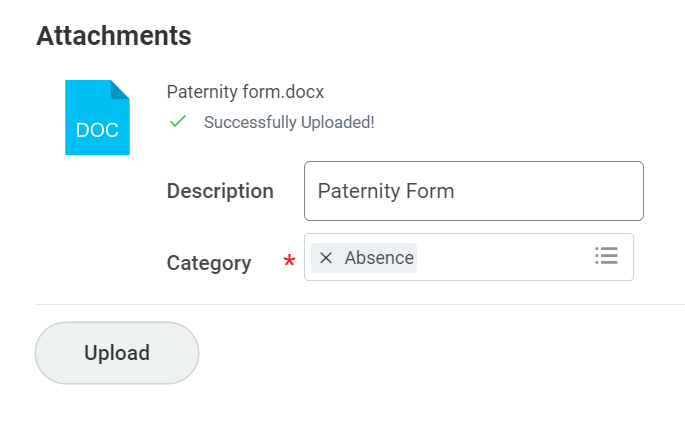
8. In Attachments, complete and upload the SPP Paternity Leave & Pay Form which can be found at the bottom of this guide.
9. Type a Description to help identify the document and click Submit.
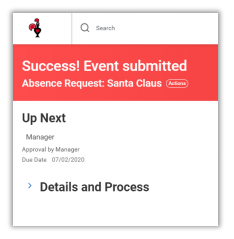
10. The event has now been submitted and you need to wait for your manager to approve it.